Personalisation Groups as segments
I’ve been at it again with a new, fun experiment: Using Andy Butland’s Personalisation Groups package to power segments in Umbraco.
The purpose of this is two-fold:
- Being able to create segments dynamically at runtime, rather than defining them statically at compile time.
- Using the Personalisation Groups scoring mechanism to contextualize the site rendering for end users.
You’ll find the source code for the experiment in this GitHub repo. To run it, clone down the repo and execute dotnet run in the src/Site directory.
The Umbraco database is bundled up in the repo, so it should just run. The admin credentials to the Umbraco backoffice are:
- Username: admin@localhost
- Password: SuperSecret123
Dynamic segments
The Personalisation Groups package uses Umbraco content items to define personas for personalised rendering:
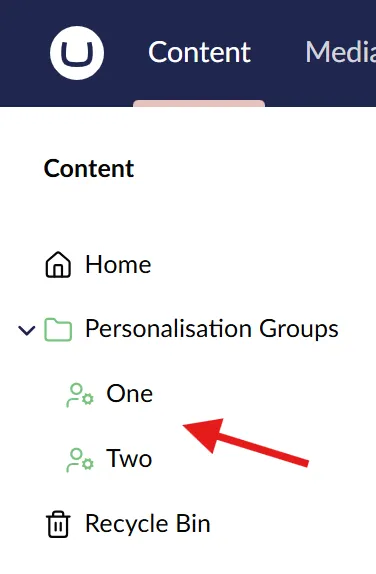
These can be fetched and used to create Umbraco segments in an ISegmentService implementation:
using Site.Extensions;
using Umbraco.Cms.Core;
using Umbraco.Cms.Core.Models;
using Umbraco.Cms.Core.Services;
using Umbraco.Cms.Core.Services.OperationStatus;

namespace Site.Services;

public class PersonalisationGroupsSegmentService : ISegmentService
{
    private readonly PersonalisationGroupsCacheService _personalisationGroupsCacheService;

    public PersonalisationGroupsSegmentService(PersonalisationGroupsCacheService personalisationGroupsCacheService)
        => _personalisationGroupsCacheService = personalisationGroupsCacheService;

    public async Task<Attempt<PagedModel<Segment>?, SegmentOperationStatus>> GetPagedSegmentsAsync(int skip = 0, int take = 100)
    {
        // Get all the active personalisation groups.
        var personalisationGroups = await _personalisationGroupsCacheService.AllPersonalisationGroupsAsync();

        // Return a segment for each of the personalisation groups.
        return Attempt.SucceedWithStatus<PagedModel<Segment>?, SegmentOperationStatus>
        (
            SegmentOperationStatus.Success,
            new PagedModel<Segment>
            {
                Total = personalisationGroups.Length,
                Items = personalisationGroups
                    .Skip(skip)
                    .Take(take)
                    .Select(personalisationGroup => new Segment
                    {
                        Name = personalisationGroup.Name,
                        Alias = personalisationGroup.PersonalisationGroupSegmentAlias()
                    })
                    .ToArray()
            }
        );
    }
}
For brevity, I have omitted a few things here:
PersonalisationGroupsCacheServiceis a custom cache wrapper around the published Personalisation Groups.PersonalisationGroupSegmentAlias()is an extension method to calculate a segment alias from a concrete Personalisation Group.
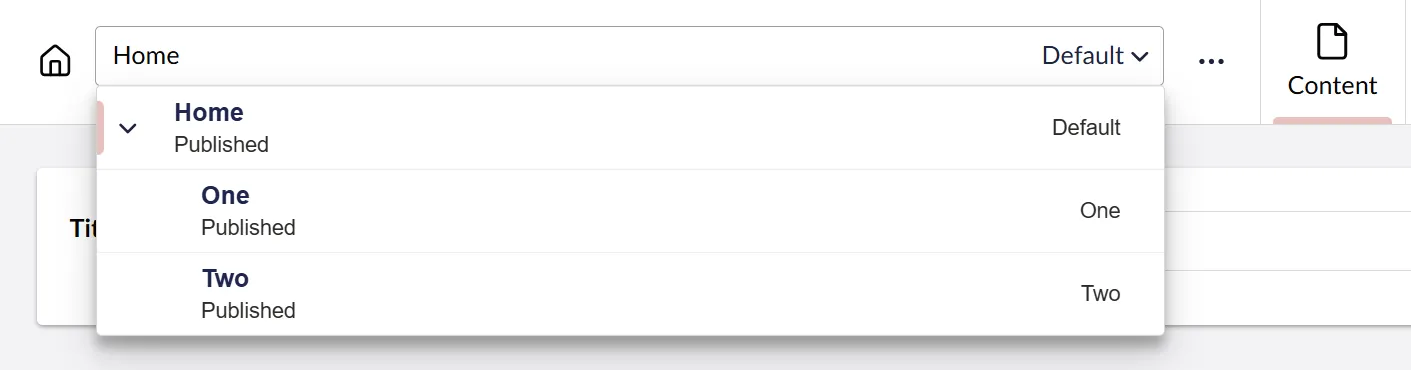
And now, the published Personalisation Groups double as segments in the content editor:
Contextualize the rendering
I’ve opted for a piece of middleware to contextualize the request at render time. It uses the IGroupMatchingService from the Personalisation Groups package to figure out which (if any) of the published Personalisation Groups is the best match for the incoming request, and applies the corresponding segment to the variation context.
The following is the interesting part of the middleware implementation. You’ll find the full implementation in the GitHub repo.
private async Task ContextualizeAsync()
{
    // Grab all the published personalisation groups.
    var personalisationGroups = await _personalisationGroupsCacheService.AllPersonalisationGroupsAsync();

    // Find the personalisation group that has the highest score over 0 in the current request context.
    var topScoredPersonalisationGroup = personalisationGroups
        .Select(c => new
        {
            Group = c,
            Score = _groupMatchingService.ScoreGroup(c)
        })
        .Where(c => c.Score > 0)
        .OrderByDescending(g => g.Score)
        .FirstOrDefault()?
        .Group;

    // When explicitly sorting out groups with 0 score, there might not be a match.
    if (topScoredPersonalisationGroup is null)
    {
        return;
    }

    // Contextualize the request using the personalisation group as segment.
    _variationContextAccessor.VariationContext = new VariationContext(
        culture: _variationContextAccessor.VariationContext?.Culture,
        segment: topScoredPersonalisationGroup.PersonalisationGroupSegmentAlias()
    );
}
Putting it to the test
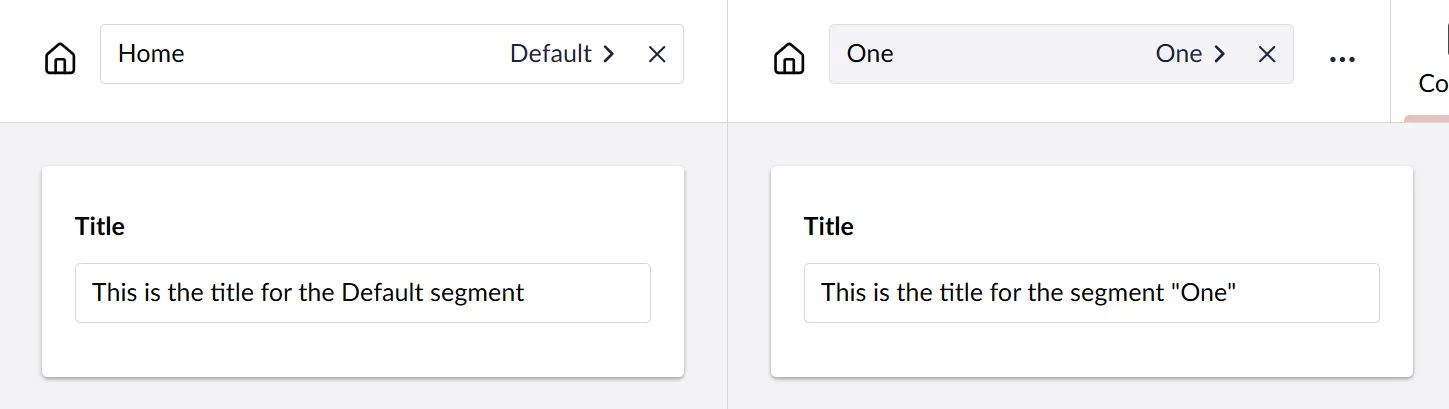
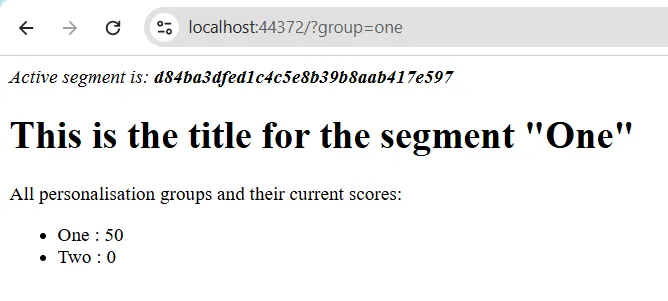
I have configured the two Personalisation Groups (“One” and “Two”) to be triggered by a query string variable - ?group=one and ?group=two, respectively.
The “Home” page has a title property with segmented values:
The default page rendering looks like this:
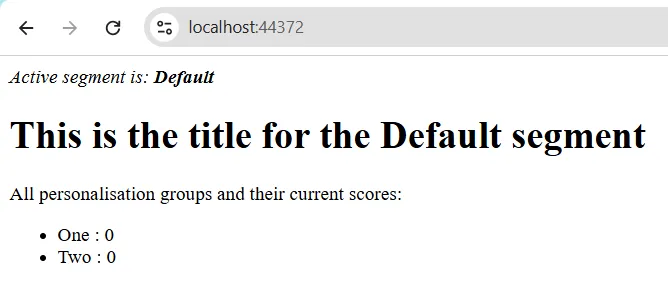
When requesting a specific Personalisation Group, the corresponding segment is rendered:
What about the Delivery API?
Well… this also works for the Delivery API:
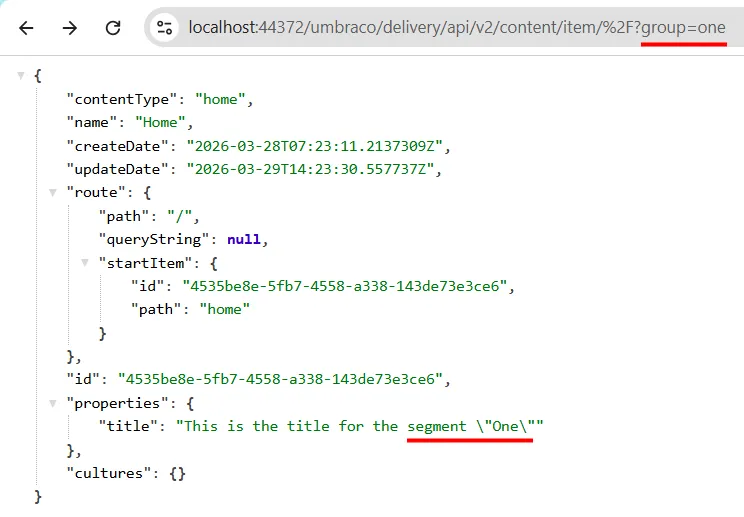
…but it only works as-is if you choose a Personalisation Group trigger that can be invoked through the Delivery API.
That is: A stateless trigger (query string in this case).
The concept is still okay, though. And if you need more elaborate state management for triggers, I’m sure you can cook up something clever 😉
Experiment: Successful
I think it makes sense to treat the Personalisation Groups as segments for the editors, but I’m sure it’s not everyone’s cup of tea 🍵
Personalisation Groups is a really neat package in itself. And even with this approach, the package can still be used as it’s intended, so you can mix and match the editing experience as you see fit.
This whole thing works for somewhat simplistic implementations. If you really want to leverage segmentation in Umbraco, you should definitively go with Umbraco Engage instead 🚀
And please… do remember that this is just an experiment. If you ever consider using it for something that actually matters, be sure to test it thoroughly.
Happy segmenting 💜